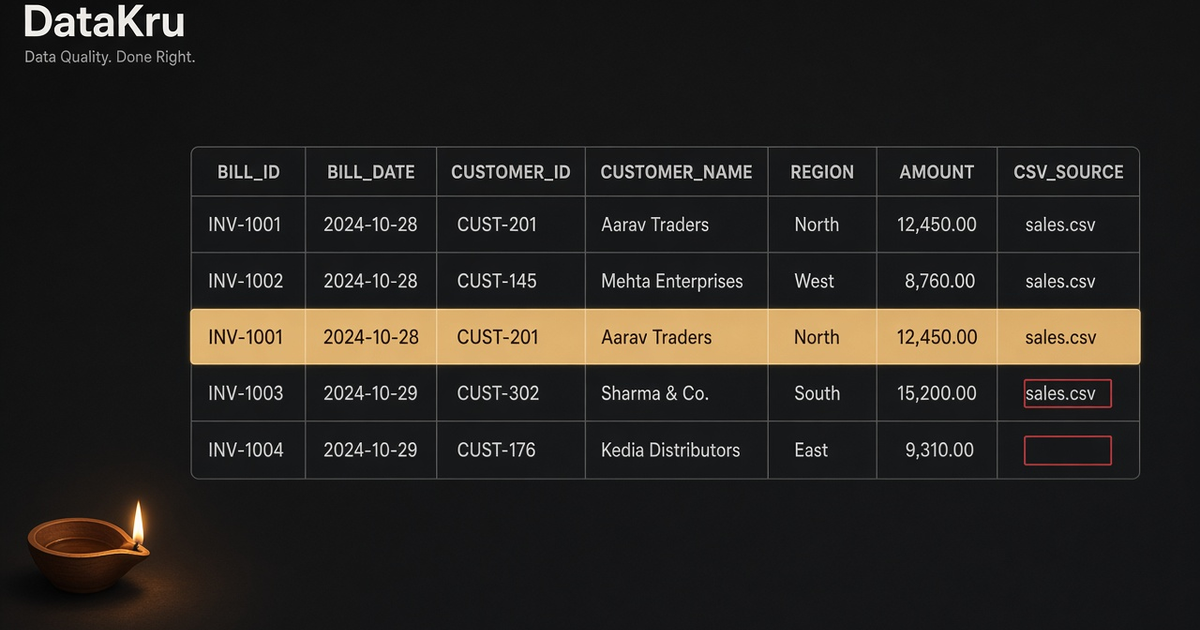
Diwali is a bad day to touch production. No deploys. No migrations. No “quickly drop a table.” It is a good day to open the festive sales export you already have.
Rushed billing creates dirty CSVs. Dashboards built on that file will lie about the weekend.
Why festive CSVs lie
After a rush at the counter, the export often looks fine until you actually look:
- Duplicate rows. A bill printed twice, or the same export run twice, shows up as two identical lines. Revenue doubles for free. Nobody asked for that.
- Blank units / missing amounts. Someone was in a hurry. The row still exports. Your total quietly skips it—or worse, treats blank as zero.
- Dates typed by hand. Mixed formats (day/month, month/day, typos) are common in festive week. Watch for them yourself before you chart “by day.” DataKru’s quality pass today is strong on duplicates and missing values, not a full date auditor.
None of this is exotic. It is just what happens when people sell hard and export once at midnight.
How to check it yourself (Excel / Google Sheets)
For a small file, you can do this by hand:
- Duplicates. Select the table. In Excel use Data → Remove Duplicates (or keep a copy and use
COUNTIFon a key column). In Sheets, Data → Data cleanup → Remove duplicates, orUNIQUE. - Blanks. Filter the units, amount, and date columns for empty cells. Fix or exclude those rows before you paste a total into a slide.
That is fine for one small export. It gets painful once the file is large, or once you have to repeat the same check every morning of the festive week.
How to check it in DataKru (what is live)
What works today is boring on purpose: upload a file, run quality, ask Disha.
- Sign up for the free beta (one account per person).
- Upload the sales CSV. CSV, Excel, and JSON uploads work today.
- Ask Disha: “what's wrong with my latest file?”
- Disha runs a quality check and flags duplicates and missing values, usually in about a minute.
Optional: try the public sample at /static/demo/messy-sales.csv. That file has a duplicate Delhi row and blank cells—enough to see the flow without using your real sales file.
Festival demand analytics, warehouse connectors, team workspaces, and voice are not live. Do not wait for them tonight. Check the file you already have.
Day-after-Diwali checklist (9 Nov)
- Export sales from POS / Shopify / Excel.
- Do not paste totals into a slide until you have checked duplicates and blanks.
- Upload to DataKru and ask Disha.
- Only then build or refresh a dashboard.
Happy Diwali—then open the CSV.